Four tabs, one goal: find the right character
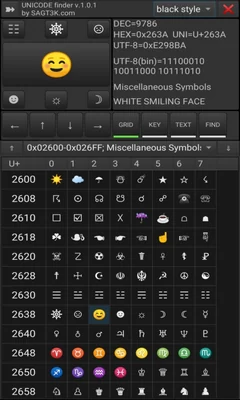
Grid
- Browse the Unicode blocks and the characters they contain.
- Tap a character to copy it to the clipboard.
- Move from one character to the next with the navigation buttons.
- A legend shows the hex value, the decimal value and the description of each character.
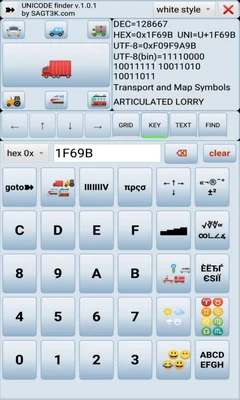
Key
- Enter a character code using the hex or decimal keypad.
- Tap Go to to jump to it in the grid.
- Fast navigation buttons take you straight to the character.
Text
- Write text and insert the selected characters where you need them.
- Edit the text and copy it to the clipboard.
Find
- Type part of a character's description to search for it.
- Tap a result to show it in the grid.
Three built-in themes (white, black and blue) make reading easy.
Screenshot
Unicode Finder on Android